

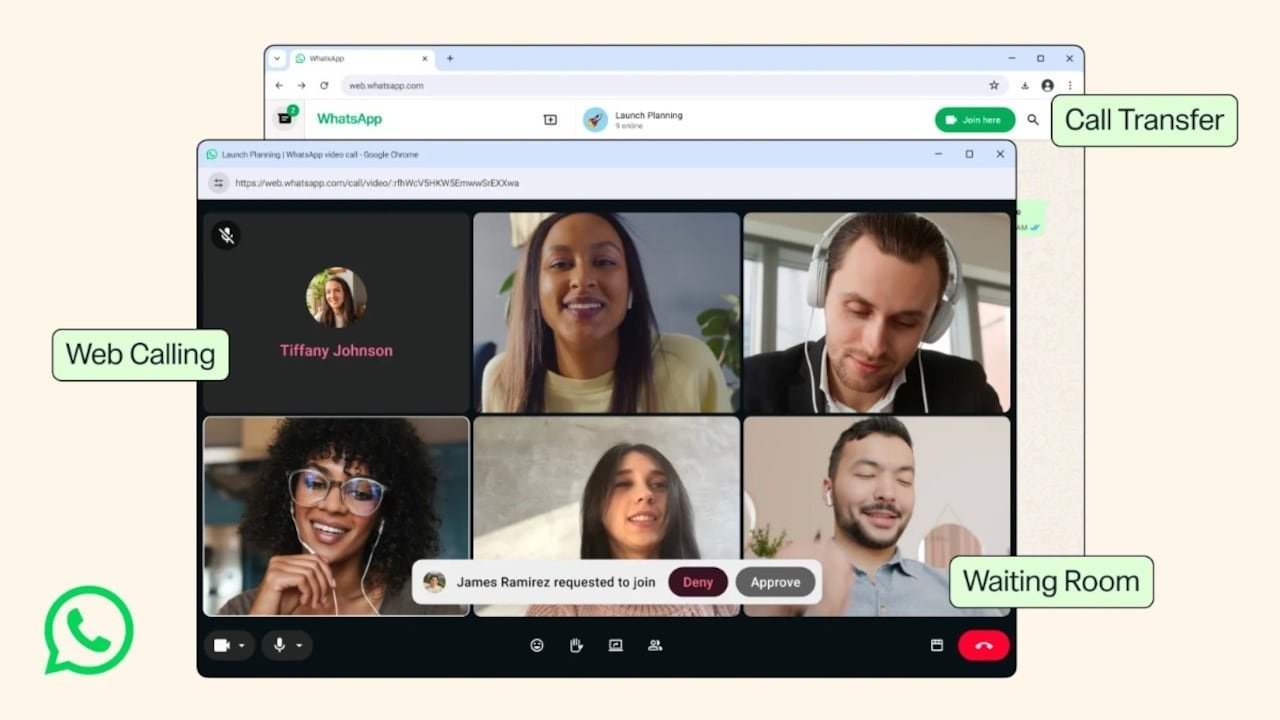
WhatsApp is rolling out a major enhancement to its calling functionality, highlighted by the arrival of native audio and video calling directly on WhatsApp Web. Users no longer need to install the Windows or Mac desktop app or use their mobile devices to place or receive end-to-end encrypted calls.
The update also includes four new features designed to optimize call quality and management across devices.
1. Native Calling on WhatsApp Web
For the first time, browser-based WhatsApp Web supports both one-on-one and group voice/video calls without requiring standalone software downloads. This provides full functionality—including screen sharing, in-call reactions, and a dedicated Calls tab to view history and favorites—straight from your preferred web browser.
How to Make a Call on WhatsApp Web
-
Launch WhatsApp Web in your computer browser and open the desired chat.
-
Click the voice or video call icon located at the top of the chat window.
-
Grant browser permissions for your camera and microphone when prompted (choose your preferred access setting: Allow once, Allow while using, etc.).
-
Confirm by selecting “Ok Got It” to begin ringing your contact.
2. Additional Calling Features in the Update
Alongside web-based calling, WhatsApp has introduced several smart controls to elevate the overall calling experience:
-
Call Transfer: Move an active call seamlessly from one device to another (e.g., from your mobile phone to WhatsApp Web or Desktop) without hanging up or disconnecting.
-
Waiting Room: Hosts can toggle “Require approval to join” when generating a group call link. Participants wait in a staging area until the host approves their entry, providing greater privacy and control similar to Zoom or Google Meet.
-
QuickHD Video: Delivers high-definition video within the first few seconds of a call connecting, eliminating initial lag while waiting for the connection to stabilize.
-
Background Noise Suppression: Uses algorithms to actively filter out ambient background noise in loud environments. This feature can be manually enabled or disabled anytime via the in-call settings menu.
Availability: Meta has begun rolling out these features globally. They will become available to all users across supported browsers and platforms over the coming weeks.
