

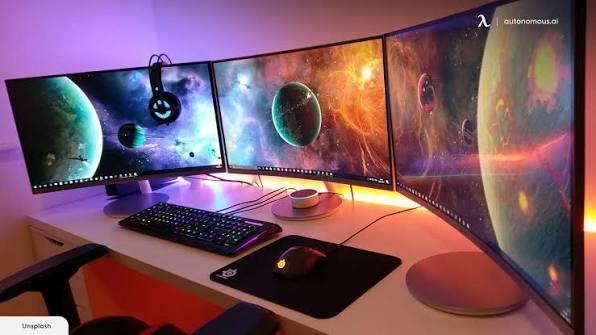
For years, flat monitors have been the standard desktop choice, but they come with a natural limitation: the edges of the screen sit further away from your eyes than the center. This structural design forces your eyes to constantly refocus as you look across the panel.
Curved gaming monitors solve this problem by wrapping the display around your natural field of view. By keeping the entire panel at a more uniform distance from your eyes, they enhance depth perception, widen peripheral visibility, and significantly reduce eye fatigue during extended play sessions.
Crucial Specs to Keep in Mind
-
Curvature Rating (The ‘R’ Factor): Measured in millimeters (e.g., 1500R, 1800R), the lower the number, the more dramatic the curve. A 1500R monitor curve forms a circle with a 1.5-meter radius, offering a more aggressive wrap than an 1800R panel.
-
Refresh Rate: For fast-moving action, aim for a minimum of 100Hz. Competitive players should look toward 180Hz or higher to ensure fluid movement.
-
Aspect Ratio: Standard monitors feature a 16:9 layout. Ultrawide monitors use a stretched 21:9 grid, giving you extra horizontal real estate that excels in simulators, racing setups, and multitasking.
Direct Comparison of the Top Curved Monitors
Detailed Product Breakdown
For Maximum Gaming Performance: Lenovo Legion 32-inch (R32qc-30)
If you want an uncompromising balance of crisp visual detail and competitive speed, this display ticks every box.
-
The QHD (1440p) resolution keeps textures incredibly sharp on the massive 31.5-inch canvas, avoiding the pixelation often seen on larger 1080p screens.
-
Boasts an exceptional 180Hz refresh rate and a near-instant 0.5ms response time to eliminate motion blur and ghosting during twitchy first-person shooters.
-
Includes an exceptionally versatile ergonomic stand that supports full height, tilt, swivel, and pivot adjustments.
For Fast-Paced Racing & Flight Simulators: Acer Nitro 30-inch (XZ306C)
Designed specifically for high-speed simulation enthusiasts who need extra horizontal screen real estate.
-
The ultrawide 21:9 aspect ratio pushes gameplay deep into your peripheral vision, allowing you to see oncoming corners and side mirrors without turning your game camera.
-
Features a blazing 200Hz refresh rate over DisplayPort and FreeSync Premium to ensure frame delivery remains perfectly synced with your graphics card.
-
Equipped with VESA DisplayHDR 400 certification for deeper shadows and punchier lighting highlights.
For Cinematic Immersion & Productivity: Zebronics 34-inch (ZEB-PA234)
An expansive ultrawide powerhouse built for users who want to replace dual-monitor setups with a singular, seamless panel.
-
The ultra-crisp UWQHD (3440×1440) resolution delivers beautiful image density alongside massive desktop space for video editing or side-by-side app multitasking.
-
Supports Picture-in-Picture (PIP) and Picture-by-Picture (PBP), allowing you to display signals from two different computers or consoles on the screen at the same time.
-
Pushes rich color reproduction with 100% sRGB space coverage and full HDR10 support.
For Everyday Casual Value: LG 32-inch (32MR50C-B)
Perfect for students, casual office workers, and mainstream gamers looking for a massive screen layout on a strict budget.
-
The gentle 1500R curve forms a highly comfortable viewing sweet-spot for watching movies, reading articles, or browsing the web.
-
The 100Hz refresh rate offers a noticeable, fluid upgrade over standard 60Hz office displays without demanding an expensive graphics card to drive it.
-
Built-in Flicker Safe and Reader Mode software adjustments help reduce harmful blue light emission during long night sessions.
Finding Your Setup Sweet Spot
If you mainly play fast-paced competitive esports titles, the lightning-fast response times of the Lenovo Legion R32qc-30 will give you a definitive edge. If you prefer sprawling open-world RPGs, flight sims, or need massive screen real estate for workflow multitasking, the ultrawide panoramic layouts of the Zebronics ZEB-PA234 or Acer Nitro XZ306C will completely change how you view your digital space.
