

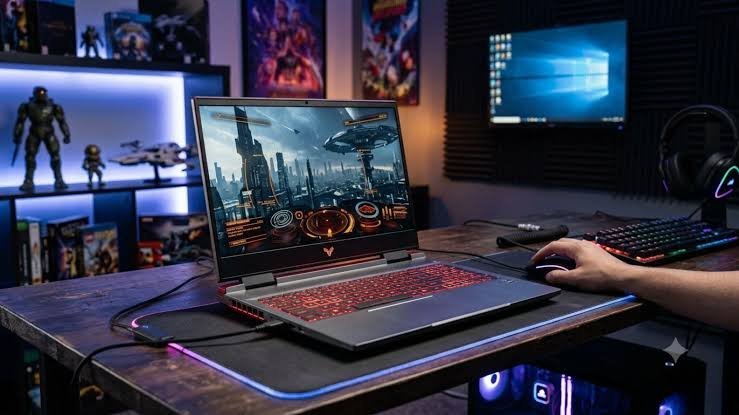
Finding a reliable gaming laptop under ₹1 lakh that balances high frame rates, powerful processors, and everyday utility is easier than ever. Below is a curated breakdown of 6 top-tier gaming laptops currently available in India, highlighting their specifications, standout features, and key considerations.
Comparison of Top 6 Gaming Laptops
| Product & Processor | GPU & VRAM | RAM & Storage | Display | Best For |
|
Lenovo LOQ Essential (AMD Ryzen 7) |
NVIDIA RTX 3050 (6GB) | 16GB DDR5 / 512GB SSD | 15.6″ FHD 144Hz | Gaming & multitasking |
|
Acer ALG (13th Gen Intel Core i5-13420H) |
NVIDIA RTX 3050 (6GB) | 16GB RAM / 512GB SSD | 15.6″ FHD 144Hz | Gaming & content creation |
|
HP Victus 15-fb3123AX (AMD Ryzen 7 7445HS) |
NVIDIA RTX 2050 (4GB) | 16GB DDR5 / 512GB SSD | 15.6″ FHD 144Hz (300 nits) | Upgradable performance & productivity |
|
MSI Thin 15 B13UDX (13th Gen Intel Core i5-13420H) |
NVIDIA RTX 3050 (6GB) | 16GB RAM / 512GB NVMe SSD | 15.6″ FHD 144Hz | Gaming & portable entertainment |
|
Acer Aspire 7 A715-79G (Intel Core 5 210H) |
NVIDIA RTX 4050 (6GB) | 16GB RAM / 512GB SSD | 15.6″ FHD | Advanced graphics & versatile workflows |
|
HP Victus 15-fa2191TX (13th Gen Intel Core i5) |
NVIDIA RTX 3050A (4GB) | 16GB DDR4 / 512GB SSD | 15.6″ FHD 144Hz | Everyday multitasking & casual gaming |
Key Takeaways from the Selection
-
Best GPU Value: The Acer Aspire 7 stands out by packing an NVIDIA RTX 4050 (6GB) GPU under ₹1 lakh, offering superior generational performance for modern titles and content creation.
-
Display & Refresh Rate: Almost all featured laptops boast a fluid 144Hz refresh rate, ensuring smooth motion handling during competitive gaming and snappy daily navigation.
-
Memory Standards: Most models leverage 16GB of RAM, which is the sweet spot for modern gaming, video editing, and heavy browser multitasking.
Factors to Keep in Mind Before Buying
-
GPU Priority: Dedicated graphics heavily dictate your gaming frames. If budget permits, prioritize a 6GB VRAM variant (like the RTX 3050 6GB or RTX 4050) over older 4GB cards.
-
Thermal Management: Sustained gaming sessions generate high heat. Look for models with robust dual-fan cooling architectures to prevent thermal throttling.
-
Upgrade Paths: Check if the laptop allows easy RAM and secondary SSD expansions to future-proof your investment.
