

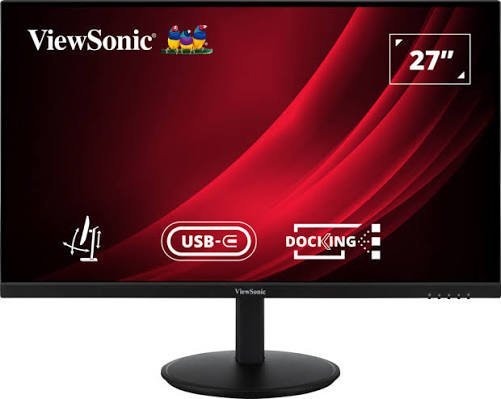
The ViewSonic VG2709U-2K is a 27-inch 1440p (QHD) IPS monitor marketed primarily for office and professional workstation setups. After a month-long test incorporating daily office productivity, media consumption, and PS5 gaming, the monitor proves to be a versatile display that balances work and entertainment—though not without a few notable drawbacks.
Overall Rating: 8.3 / 10 (HT Verified Recommended)
-
Price: ₹23,999 (discounted to ₹22,890 during sale events)
-
Key Strengths: Smooth 100Hz refresh rate, vibrant IPS color reproduction, robust ergonomic stand, and a multi-port USB-C hub with 65W Power Delivery.
-
Key Weaknesses: Unrefined OSD physical buttons, text pixelation issues when connected to Mac OS via HDMI, and weak built-in speakers.
Category Scores & Testing Summary
| Test Area | Score | Performance Summary |
| Display Brightness & Anti-Glare | 9 / 10 | Peak brightness of 350 nits with an anti-glare coating handles well-lit rooms easily. Dark scene details remain visible. |
| Text Clarity & Productivity | 8 / 10 | Crisp overall 1440p resolution, though text rendering on Mac via HDMI occasionally looks pixelated. |
| Color Accuracy & Visuals | 8.5 / 10 | Vibrant colors with 104% sRGB coverage; vivid for streaming and PS5 gaming, though falls short of professional video editing standards. |
| Refresh Rate & Motion | 9 / 10 | The 100Hz refresh rate provides noticeably smoother scrolling and window navigation compared to standard 60Hz panels. |
| Ergonomics & Stand | 9.5 / 10 | Excellent stand flexibility with height, tilt (-3.5° to 28°), swivel (180°), and pivot (portrait mode) adjustments. |
| OSD Menu & Controls | 7.5 / 10 | Physical buttons on the bottom bezel are hard to navigate; several OSD settings are locked out when using HDMI. |
| Audio Quality | 7 / 10 | Dual 2.5W speakers offer low volume, lack bass, and sound shrill at high volumes. |
Detailed Breakdown
1. Design & Ergonimics: Minimalist & Functional
-
Clean Aesthetics: Features hidden side and top bezels under the anti-glare panel for an understated, borderless look when turned off.
-
Versatile Stand Movement: The stand offers a full range of motion, making it easy to adjust viewing angles whether sitting, standing, or using a walking pad. It also supports rotation into vertical portrait mode for long document reading.
-
Cable Management: Includes a dedicated cable clip, though the ridged texture along the stand spine tends to collect dust over time.
2. Picture Quality & Refresh Rate: Smooth & Vibrant
-
100Hz Refresh Rate: Delivers a tangible fluidity bump over standard 60Hz office monitors, reducing eye strain during extended web browsing and document handling.
-
Color Performance: Covers 104% sRGB and 72% NTSC, striking a good balance between saturation and natural tones for media and casual gaming.
-
Mac Compatibility Note: Connecting via HDMI caused slight text pixelation due to macOS sub-pixel rendering quirks. Switching to the included USB Type-C cable resolved text issues, but restricted HDR and 100Hz playback in testing.
3. Workstation Connectivity Hub
The monitor acts as an effective single-cable hub for laptop users:
-
1x USB 3.2 Type-C: Supports DisplayPort Alt Mode and 65W Power Delivery to power laptops while outputting video.
-
1x HDMI 2.1 & 1x DisplayPort 1.4
-
1x Ethernet LAN (RJ45): Connects your laptop directly to a wired network through the monitor.
-
USB Hub: 2x USB 3.2 Type-A downstream ports for mouse/keyboard peripherals.
Key Specifications
-
Panel Size & Type: 27-inch IPS (16:9 aspect ratio)
-
Resolution: 2560 × 1440 pixels (QHD)
-
Refresh Rate & Response Time: 100Hz | 4ms (GTG)
-
Peak Brightness: 350 nits
-
Color Coverage: 104% sRGB, 72% NTSC (HDR10 support)
-
Speakers: Dual 2.5W internal speakers
-
Mounting: VESA 100 × 100 mm compatible
Verdict: Who Should Buy It?
The ViewSonic VG2709U-2K is a strong option for remote workers, students, and casual gamers who want a clean, ergonomically flexible 1440p monitor with a smooth 100Hz refresh rate and single-cable USB-C laptop docking. However, professional photo/video editors who need high color accuracy, or users who rely heavily on built-in monitor speakers, should consider dedicated alternatives.
