

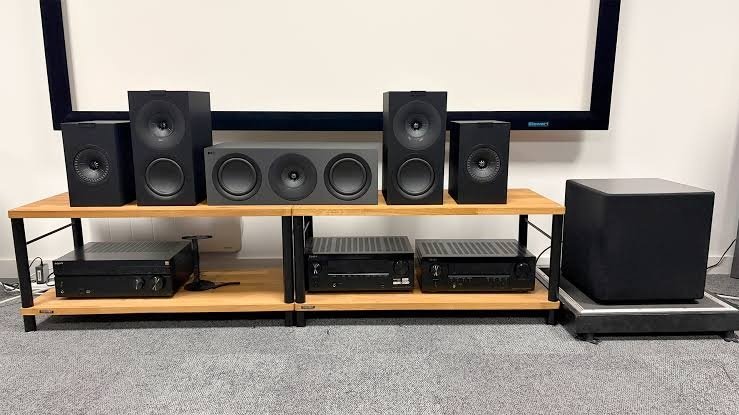
Choosing a home theater system isn’t just about high wattage or counting speakers. A setup that sounds incredible in a showroom can quickly overwhelm a small living room or fall flat if improperly configured.
To ensure you get the best audio experience for your space and budget, keep these five essential factors in mind before making a purchase.
Quick Checklist
| Factor | What to Look For | Why It Matters |
| 1. Room Size & Layout | Match speaker channels (2.1, 5.1, or 7.1) to space. | Prevents audio clutter in small rooms; ensures full surround coverage in large ones. |
| 2. Audio Quality vs. Wattage | Dedicated center channel and standalone subwoofer. | Wattage indicates peak loudness, but dedicated channels ensure crisp dialogue and deep bass. |
| 3. Format Support | Dolby Digital, DTS, Dolby Atmos, DTS:X. | Unlocks immersive, multi-dimensional audio from modern streaming services and consoles. |
| 4. Essential Ports | HDMI eARC/ARC, Optical, Bluetooth 5.0+, Wi-Fi. | Simplifies cable management and delivers uncompressed, high-bandwidth audio. |
| 5. Placement & Setup | Wireless rear satellites, wall-mounting options, app calibration. | Makes installation hassle-free and adapts the sound signature to your room’s acoustics. |
1. Match the System to Your Room Size
-
Small Rooms / Apartments: A 2.1 or 3.1 channel setup (a soundbar/speakers paired with a subwoofer) provides a dramatic upgrade over built-in TV speakers without cluttering your space.
-
Medium-to-Large Living Rooms: A 5.1 or 7.1 channel setup creates true spatial surround sound, provided you have room behind or beside your sofa to position rear satellite speakers properly.
-
Room Acoustics: Hard floors and bare walls reflect sound, creating harsh echoes. Soft furnishings, carpets, and curtains absorb sound, helping to balance output.
2. Don’t Judge Quality by Wattage Alone
High peak wattage numbers look great on product boxes, but they rarely reflect day-to-day audio clarity:
-
Dialogue Clarity: Look for systems with a dedicated center channel (e.g., 3.1 or 5.1 setups). The center speaker handles dialogue, keeping speech crisp even during loud action sequences.
-
Low-End Impact: A dedicated active subwoofer offloads low-frequency sound (explosions, bass notes) from the main speakers, giving you deeper bass while keeping midrange frequencies clear.
3. Verify Surround Sound Format Support
Modern streaming services (Netflix, Prime Video, Disney+) and gaming consoles rely on spatial audio standards:
-
Standard Surround: Ensure baseline support for Dolby Digital and DTS.
-
3D Spatial Audio: For object-based overhead effects, check for Dolby Atmos and DTS:X.
-
Note: Pay attention to whether a system uses physical height channels (upward-firing drivers) or virtual spatial processing. Physical speakers yield true overhead sound, whereas virtual processing is an algorithmic approximation suited for tighter budgets.
4. Prioritize Key Connectivity Options
Your home theater will act as your central hub for entertainment devices:
-
HDMI eARC (Enhanced Audio Return Channel): Essential for passing uncompressed, high-bitrate formats like Dolby Atmos from your TV to your sound system via a single cable.
-
Optical & AUX: Useful backup ports for legacy TVs or set-top boxes.
-
Wireless Options: Bluetooth and Wi-Fi allow smooth music streaming directly from smartphones and mobile devices.
5. Plan for Placement and Cable Management
-
Satellite Wiring: True 5.1 setups require running cables from the main soundbar/receiver to the back of the room. If cabling is a dealbreaker, opt for models featuring wireless rear satellites (which only require a power outlet).
-
Mounting & Upgrades: Check if satellite speakers include wall-mount brackets or stand mounts. AVR (Audio/Video Receiver) based setups offer modular upgrades over time, whereas all-in-one soundbar systems prioritize a clean, compact footprint.
